

If you’ve ever thought about turning your design skills into a profitable business, creating and selling custom website themes and templates could be your ticket. Whether you’re a designer, developer, or simply someone with a knack for creativity, the opportunities in this space are vast and growing. With the right strategies, you can transform your passion for web design into a steady income stream.
The best part? You don’t need to be a coding wizard or have years of experience to succeed. With user-friendly tools, platforms like WordPress, Shopify, and Squarespace, and a growing demand for high-quality, customizable templates, anyone can dive into this market.
In this article, we’ll explore the strategies, tools, and techniques you need to start creating and selling your own website themes and templates. By the end, you’ll have a clear roadmap to transforming your skills into a profitable business.
As Steve Jobs once said, “Design is not just what it looks like and feels like. Design is how it works.” This quote is especially relevant when it comes to website themes — your designs should not only look good but function seamlessly for your users.
TL;DR
- Learn the market: Research what types of themes are in demand.
- Choose your platform: WordPress, Shopify, Squarespace, and others.
- Master design tools: Use platforms like Adobe XD, Figma, or Sketch.
- Create responsive, functional designs: Ensure your themes are mobile-friendly and easy to use.
- Sell on marketplaces: Sites like ThemeForest, Creative Market, or your own website.
- Market your product: Use SEO, social media, and affiliate marketing to drive sales.
- Avoid common mistakes: Don’t overcomplicate your designs or ignore user feedback.
What Are Custom Website Themes and Templates?
Before diving deeper into the process of creating and selling them, let’s first clarify what custom website themes and templates really are.
Custom Website Themes
A website theme refers to the overall design and structure of a website. It includes the layout, color schemes, typography, and other visual elements that define how a website looks and feels. In the context of platforms like WordPress, Shopify, or Squarespace, a theme also dictates how content is presented, providing a cohesive look across all pages of the site.
A custom website theme goes a step further by being specifically tailored for a particular purpose, audience, or business. Unlike pre-made generic themes, custom themes are designed with unique branding and functionality requirements in mind, often catering to niche markets like e-commerce, photography portfolios, or personal blogs.
Custom Website Templates
A website template, on the other hand, refers to a pre-designed page or set of pages that can be reused across different parts of the website. Templates are often used to make web development faster and more efficient. For example, a home page template or blog post template can be used repeatedly with different content, while maintaining the same look and structure.
Just like themes, custom templates are specifically designed to meet the needs of a particular audience or market. Whether it’s a landing page template optimized for conversions or a portfolio template for artists, custom templates offer a more personalized approach than the standard, more general options.
Key Differences Between Themes and Templates
While these terms are often used interchangeably, there’s a distinction between them:
- Themes: Control the overall look and feel of a website, including layout, fonts, colors, and navigation.
- Templates: Refer to the individual page layouts used within a theme, like the design of a contact page or an e-commerce product page.
Both themes and templates are crucial to creating a cohesive and functional website, and custom versions allow for a more tailored and unique user experience.
Step-by-Step Guide to Creating and Selling Custom Website Themes
Creating and selling custom website themes can be a lucrative and fulfilling endeavor. To get started, it’s essential to follow a structured process that ensures your themes are not only beautiful but also functional and marketable. Below is a step-by-step guide to help you launch your theme design business effectively:
Research the Market and Identify Trends
Before diving into the creative process, it’s essential to research the market. What types of themes are popular right now? Is there a particular niche that’s underserved? Some of the most successful themes cater to specific industries like e-commerce, portfolio sites, or blogs.
Tools to Use:
- Google Trends: Identify the trending website design elements and niches.
- ThemeForest and Creative Market: Browse top-selling themes to see what’s in demand.
- Pinterest: Search for website design inspiration and see what’s trending visually.
Choose the Right Platform
Not all website platforms are created equal. You’ll need to decide which one is the best fit for the types of themes you want to create.
- WordPress: The most popular CMS, ideal for blogs, business sites, and portfolios.
- Shopify: Perfect for e-commerce themes.
- Squarespace: Known for its simplicity and visually appealing designs.
- Webflow: A more advanced platform for those who want complete control over the design.
Actionable Advice:
- Beginners: WordPress is a great starting point due to its huge user base and relatively easy learning curve.
- Experienced designers: Shopify or Webflow might be more your speed if you’re looking to create highly customized themes for specific industries.
Master the Design Tools
To create stunning and functional themes, you’ll need to get familiar with some design software. Here are a few that are widely used in the industry:
- Adobe XD: A powerful tool for designing and prototyping websites.
- Figma: A cloud-based design tool that’s excellent for collaboration.
- Sketch: Popular among Mac users for its simplicity and versatility.
Pro Tip:
Make sure your designs are responsive. With over 50% of web traffic coming from mobile devices, it’s crucial that your themes look great on both desktop and mobile.
Build the Theme
Once you’ve nailed down your design, it’s time to start building. If you’re designing for WordPress, you’ll need to be familiar with HTML, CSS, and PHP. For Shopify, you’ll be working with Liquid, Shopify’s proprietary templating language.
Tools to Use:
- WordPress Theme Development Frameworks like Underscores or Sage.
- Shopify Theme Kit for building and uploading Shopify themes.
- Bootstrap or Foundation: Frameworks to help you create responsive themes quickly.
Test Your Theme
Before you start selling, make sure your theme works flawlessly. Test it across different browsers and devices to ensure it’s responsive, fast, and bug-free.
Common Mistakes to Avoid:
- Ignoring mobile optimization: With mobile traffic accounting for more than half of global web traffic, a theme that doesn’t look good on mobile is a non-starter.
- Overcomplicating the design: While flashy elements can be impressive, they often slow down site performance. Keep it simple and functional.
Sell Your Theme
Now that your theme is ready, it’s time to start selling. You can either sell on marketplaces or through your own website.
Popular Marketplaces:
- ThemeForest: One of the largest platforms for selling WordPress themes.
- Creative Market: A great platform for more design-centric themes.
- TemplateMonster: Another big player in the theme-selling space.
Tips for Selling:
- Price competitively: Look at what similar themes are selling for and set your price accordingly.
- Use SEO: Optimize your product descriptions with relevant keywords like “custom WordPress themes” or “responsive Shopify templates.”
- Offer support: Buyers often look for themes that come with strong customer support.
Market Your Theme
To maximize your sales, you’ll need to put some effort into marketing. Social media, SEO, and affiliate marketing are all effective ways to get your themes in front of potential buyers.
Tools to Use:
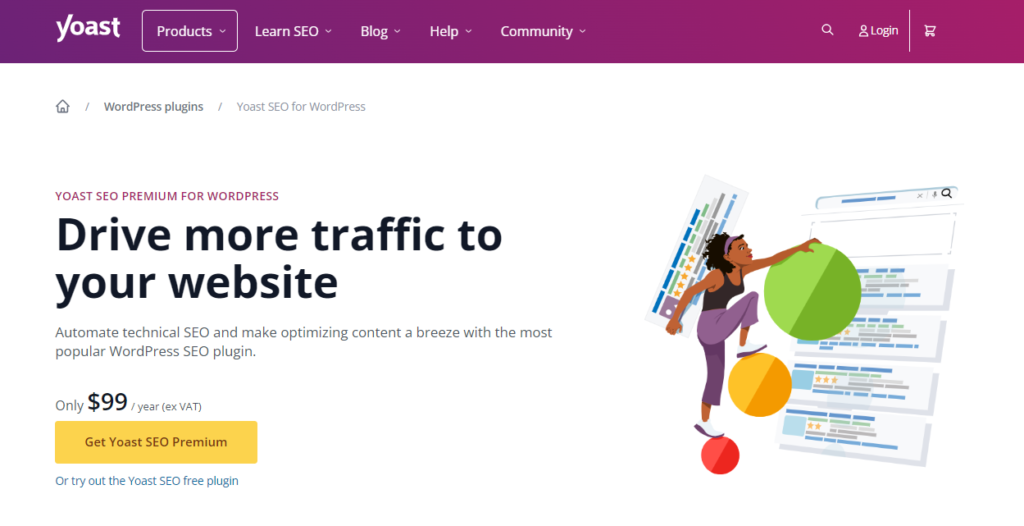
- Yoast SEO: Perfect for optimizing your product pages for search engines.
- Hootsuite: A great tool for managing your social media marketing.
- Mailchimp: Use it to send out email newsletters to potential buyers.
For more detailed methods on how to drive traffic to your website and increase sales, check out this video: Need More Website Traffic? 3 Methods For You…
For More Free Videos, Subscribe to the Rhodes Brothers YouTube Channel.
Actionable Steps for Creating and Selling Custom Website Themes and Templates
Want to turn your web design passion into profit? Here’s your comprehensive roadmap, broken down into clear, actionable steps based on your experience level. Whether you’re starting from scratch or already have some coding knowledge, these steps will guide you toward success in the theme marketplace.
For Beginners: No Coding Experience Required
If you’re new to web design, don’t worry! You can still create and sell custom themes by leveraging drag-and-drop tools and marketplace platforms.
Step 1: Choose a User-Friendly Platform
Platforms like WordPress (with page builders like Elementor), Wix, or Squarespace allow you to create themes without coding.
Recommendation: Start with WordPress because it’s versatile and has a massive user base.
Step 2: Use a Drag-and-Drop Builder
Tools: Elementor, Divi Builder, or Beaver Builder are great for beginners.
Action: Explore these tools and practice building simple layouts. Many offer free versions to get started.
Step 3: Focus on Niche Markets
Advice: Instead of creating general themes, focus on a niche (e.g., personal blogs, e-commerce) where competition is lower.
Pro Tip: Check out popular themes in your niche on marketplaces like ThemeForest for inspiration.
Step 4: Sell on Marketplaces
Platforms: Start selling on Creative Market, ThemeForest, or TemplateMonster — they make it easy to upload and sell without needing your own website.
Step 5: Offer Basic Support
Action: Even if you’re a beginner, offer basic customer support. Buyers appreciate quick responses and assistance, which can lead to positive reviews and repeat customers.
For Intermediate Designers: Some Design or Coding Experience
If you have experience with HTML, CSS, or design tools, you can create more complex themes and take advantage of additional sales channels.
Step 1: Master Design Tools
Tools: Learn Adobe XD, Figma, or Sketch to design more advanced and polished themes.
Action: Create a wireframe and mockup of your theme before coding.
Step 2: Learn Basic Coding (HTML, CSS, PHP)
Advice: To create custom WordPress or Shopify themes, you’ll need a basic understanding of HTML, CSS, and for WordPress, PHP.
Pro Tip: Use frameworks like Underscores (for WordPress) to speed up the development process.
Step 3: Test and Optimize for Mobile
Action: Ensure your theme is responsive. Use tools like Google’s Mobile-Friendly Test to check if your theme works well on all devices.
Step 4: Build a Demo Site
Advice: Include a live demo site that showcases your theme in action. Buyers are more likely to purchase if they can see how the theme performs in real-time.
Step 5: Sell Through Your Own Website
Platforms: Use WooCommerce (for WordPress) or Gumroad to sell themes directly on your website, allowing you to keep more of the profits.
Pro Tip: Use an SEO plugin like Yoast SEO to ensure your product pages rank well in search engines.
For Advanced Designers: Extensive Coding and Design Skills
If you’re well-versed in web development and design, you can create highly customizable and complex themes that cater to specific industries or clients.
Step 1: Develop Custom Features
Action: Add custom features like drag-and-drop page builders, advanced e-commerce integrations, or custom post types to make your theme stand out.
Pro Tip: Integrating with popular plugins like WooCommerce or Advanced Custom Fields (ACF) will add value to your theme.
Step 2: Optimize for Speed and Performance
Action: Use tools like GTmetrix or Pingdom to optimize your theme’s load time, which is crucial for both SEO and user experience.
Pro Tip: Avoid unnecessary animations or heavy images that can slow down the performance.
Step 3: Create a Licensing Model
Advice: Offer different licensing options (e.g., standard license for personal use and extended license for developers). This gives buyers flexibility and can increase your revenue.
Step 4: Build a Brand
Action: Create a personal brand around your themes. Invest in a professional website, create a blog to share design tips, and utilize social media to showcase your work.
Pro Tip: Start a YouTube channel or podcast to discuss web design, which can drive traffic to your products.
Step 5: Offer Premium Support and Customization
Action: Provide premium support and customization options for an additional fee. Many buyers are willing to pay more for personalized features or assistance.
Universal Strategies for All Skill Levels
Stay Updated with Trends
Action: Regularly visit design blogs, listen to podcasts, and follow industry influencers to stay on top of new web design trends. Sites like Smashing Magazine and A List Apart are great resources.
Use SEO to Drive Traffic
Action: Whether selling through a marketplace or your own website, optimize your product descriptions with relevant keywords like “responsive WordPress theme” or “custom Shopify template.”
Offer Freebies to Build Your Audience
Advice: Offering a free lite version of your theme can attract more users and build a loyal customer base. Once users trust your work, they’re more likely to purchase your premium themes.
Leverage Social Proof
Action: Encourage happy customers to leave reviews on your products. Positive reviews can significantly increase your sales.
Use Analytics to Improve
Action: Use tools like Google Analytics or Hotjar to track how users interact with your demo sites. This data will help you refine your designs and improve user experience.
Common Mistakes to Avoid When Creating and Selling Website Themes
Before diving into theme development, understanding potential pitfalls can save you time, money, and frustration. Here are the critical mistakes to avoid when creating and selling website themes:
Not Researching Your Audience
- Problem: Designing a theme without knowing your target audience can lead to poor sales.
- Solution: Define your buyer persona and study your competitors. Use surveys or polls to gather direct feedback on what your audience needs.
Ignoring SEO
- Problem: Without SEO, your theme won’t rank well, making it hard for customers to find.
- Solution: Optimize your theme descriptions with relevant keywords, ensure clean, SEO-friendly code, and prioritize fast loading speeds using tools like Google PageSpeed Insights.
Underpricing
- Problem: Pricing too low can make your theme seem low-quality.
- Solution: Research competitor pricing and offer tiered packages to provide different levels of value. Highlight your theme’s unique features to justify a premium price.
Overcomplicating the Backend
- Problem: A cluttered backend makes it difficult for users to customize the theme.
- Solution: Keep the backend simple and organized. Provide clear documentation or tutorials, and test it with real users to ensure ease of use.
Frequently Asked Questions
How do I get started with creating website themes?
Start by researching the market, choosing a platform (e.g., WordPress or Shopify), and learning the necessary design tools like Adobe XD or Figma.
What platform should I design for?
It depends on your target audience. WordPress is the most popular, but Shopify is great for e-commerce themes.
Do I need to know how to code?
For platforms like WordPress and Shopify, basic knowledge of HTML, CSS, and (for WordPress) PHP is helpful.
How can I market my theme?
Use SEO, social media, and affiliate marketing to promote your theme. You can also list it on popular marketplaces like ThemeForest.
Can I sell themes without coding?
Yes, platforms like Squarespace and Webflow allow you to design themes without coding.
How much money can I make selling themes?
It varies. Some designers make a few hundred dollars a month, while others make six figures annually.
Should I offer support for my themes?
Yes! Offering support can make your themes more attractive to buyers.
How do I price my theme?
Look at similar themes on marketplaces and price yours competitively, but don’t undervalue your work.
How do I make my theme responsive?
Use frameworks like Bootstrap or test your design using tools like Google’s Mobile-Friendly Test.
How do I avoid common pitfalls?
Research your market, optimize for mobile, and make sure your theme is easy to customize.
Transform Your Creativity into Profit
Creating and selling custom website themes and templates is an incredible way to turn your design skills into a profitable business. Whether you’re a beginner or an experienced designer, there’s a place for you in this growing market. By following the strategies outlined in this article — from researching your audience and mastering design tools to choosing the right platform and avoiding common mistakes — you’ll be well on your way to success.
The key to standing out is not just in creating beautiful themes but in ensuring they are functional, responsive, and easy to use. As you move forward, keep refining your skills, listen to user feedback, and market your themes effectively to reach a broader audience.
So, are you ready to take the first step? Start today by researching your niche, testing out design tools like Figma or Adobe XD, and sketching out your theme ideas. Your journey to creating and selling custom website themes can begin now!
Thank you for reading this article. If you found it helpful, make sure to check out the Rhodes Brothers YouTube Channel for even more tips, tutorials, and strategies to help you succeed in the world of web design and online business. Don’t miss out on the latest content that can help you thrive!
Resource List
To help you further on your path to designing and selling website themes, here are some excellent resources:
Books
- “Don’t Make Me Think” by Steve Krug: A classic in web usability, teaching you how to design user-friendly websites.
- “HTML & CSS: Design and Build Websites” by Jon Duckett: A beginner-friendly guide to building websites from scratch.
Courses
- “Web Design for Everybody” on Coursera: A comprehensive introduction to web design.
Tools
- Figma: Collaborative interface design tool.
- Adobe XD: A versatile tool for website and mobile design.
- ThemeForest: Marketplace to sell your custom themes.
- Creative Market: Another platform for selling your design elements.
Blogs & Podcasts
- Smashing Magazine: A great blog for web designers and developers.
- Design Matters: A podcast for designers looking to get inspired and improve their craft.
Creating and Selling Custom Website Themes Cheat Sheet
- Research the market and identify popular theme trends.
- Choose your platform carefully (WordPress, Shopify, Squarespace, etc.).
- Use design tools like Figma, Adobe XD, or Sketch to craft your themes.
- Ensure your design is responsive and mobile-friendly.
- Test across different browsers and devices.
- Sell on trusted marketplaces like ThemeForest or Creative Market.
- Optimize for SEO to make your themes more discoverable.
- Price competitively, but don’t undervalue your work.
- Offer support for your themes — it’s crucial for customer satisfaction.
- Market effectively using social media, SEO, and affiliate marketing.
- Avoid common mistakes such as overcomplicating designs or ignoring mobile optimization.
- Keep learning through books, courses, and online resources to stay ahead of design trends.
- By keeping these points top of mind, you’ll be well-equipped to enter the world of theme design with confidence and creativity!