
For More Free Videos, Subscribe to the Rhodes Brothers YouTube Channel.
Becoming a published author might feel like a distant dream, buried under the weight of endless drafts, late nights, and months of effort. But what if there was a faster, smarter way to achieve that dream?Turning your ideas into a polished, publishable book in just 2.5 hours. It’s not a gimmick or wishful thinking—it’s a proven process that combines cutting-edge AI tools with simple, actionable strategies.

John S. Rhodes of the Rhodes Brothers says it best: “The future isn’t about working harder; it’s about leveraging smarter tools to bring your ideas to life faster than ever before.”
Thanks to revolutionary tools like ChatGPT, writing a book has never been this accessible. Whether you’re just starting out or you’ve been thinking about writing for years, this guide will give you everything you need to create a professional book in record time. Let’s get started!
TL;DR
If you’re short on time, here’s the condensed version of what we’ll cover:
- Start with content you already have, like a YouTube video or blog post.
- Use AI tools, such as ChatGPT, to turn this content into a manuscript.
- Break the process into manageable steps: from creating a transcript to formatting chapters.
- Enhance your book with quotes, research, and clean, professional formatting.
- Design a stunning book cover with tools like Canva or hire a designer on Fiverr.
- Publish your book on Amazon KDP to reach a global audience.
- Avoid common mistakes like over-editing or getting lost in perfectionism.
Let’s dive into the details!
Step 1: Start With What You Already Have
The beauty of this process is that you don’t need to start from scratch. In fact, one of the most efficient ways to write a book is by repurposing content you’ve already created. As John Rhodes explains in his video, the “top of the mountain” approach is key—this means starting with the best material you’ve already produced and building from there.
Think about it: you’ve likely already created valuable content that can serve as the foundation for your book. Why reinvent the wheel when you can refine what you have?
Examples of Starting Content
Here are a few types of content that work perfectly as a starting point:
- YouTube Videos: If you’ve uploaded videos on a specific topic, you already have a wealth of information at your fingertips. Platforms like YouTube automatically generate transcripts for videos, which you can download and use as the foundation for your book.
- Old Blog Posts: If you’ve written articles on your blog, these can easily be repurposed into chapters or sections of your book.
- Presentations or Webinars: Slide decks, notes, or recordings from webinars you’ve hosted are packed with structured, well-thought-out content.
- Bullet Points or Notes: Even informal notes from a brainstorming session or speech can spark ideas and serve as a starting point.
For instance, say you recorded a webinar on “Marketing Strategies for Small Businesses.” That transcript could easily evolve into a book titled Effective Marketing Strategies for Entrepreneurs. By starting with existing content, you skip the hardest part of writing: generating ideas and creating a structure.
Pro Tip: Don’t worry about the quality of your transcript or starting material. AI tools like ChatGPT can clean it up, rewrite it, and even organize it into a book format.
Step 2: Use AI to Transform Your Transcript
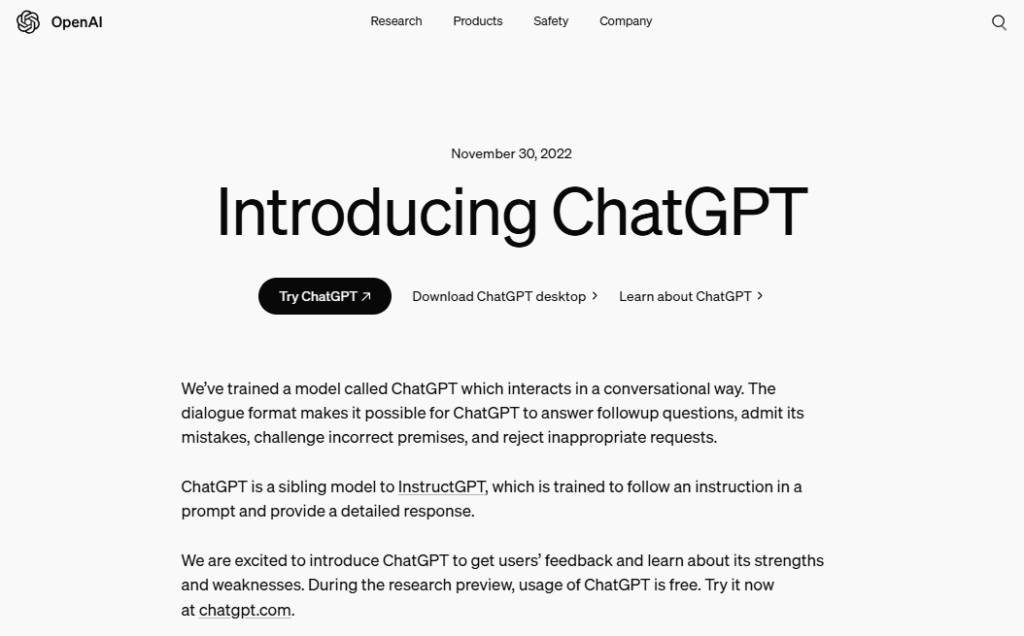
Once you have your starting material, it’s time to let AI do the heavy lifting. AI tools like ChatGPT are designed to take raw, unpolished content and turn it into something cohesive, professional, and engaging.
Here’s how to do it:
- Open ChatGPT
Start by opening ChatGPT (or a similar tool) and pasting in your transcript. If your transcript is lengthy, break it into smaller, manageable chunks.
- Set the Goal
Clearly explain what you want ChatGPT to do. For example:
“Please turn this transcript into a book manuscript. Write at a 5th-grade comprehension level to keep it simple and easy to read. Break it into chapters, making each one engaging and informative.”
- Ask for a Table of Contents
Before diving into the writing, ask ChatGPT to generate a structured table of contents based on your transcript. This step creates a clear roadmap for your book and ensures your content flows logically.
- Generate the Manuscript
Work with ChatGPT chapter by chapter. This allows you to refine each section and ensure it aligns with your vision.
Pro Tip: If your transcript includes filler words, irrelevant tangents, or overly technical language, ask ChatGPT to summarize or simplify it. For example:
“Rewrite this section to make it more concise and conversational.”
Step 3: Add Value to the Content
A book isn’t just a transcript—it’s an opportunity to provide additional value to your readers. To make your book stand out, think about what else you can include to enhance the content.
Here’s what to ask ChatGPT:
- Add Quotes
Include meaningful quotes that align with your book’s theme. For example, if your book is about productivity, you might include this gem from Henry Ford: “Whether you think you can, or you think you can’t—you’re right.” Quotes not only break up the text visually but also add credibility and depth to your writing.
- Incorporate Research and Data
Ask ChatGPT to include relevant statistics, studies, or reports. For example:
“According to a 2024 study, books written at a 5th-grade comprehension level resonate with 85% of readers.” Including research-backed insights makes your book more authoritative and engaging.
- Reference Other Materials
Enhance your book by referencing other books, articles, or resources. For example, if you’re writing about personal finance, you could mention Rich Dad Poor Dad by Robert Kiyosaki as a complementary resource.
- Add Callouts and Summaries
Use ChatGPT to create short summaries, tips, or callout boxes for key points. These elements make your book more visually appealing and easier to read.
Step 4: Write Chapter by Chapter
With your table of contents in hand, it’s time to develop each chapter. Writing chapter by chapter ensures you stay focused and maintain a logical flow throughout your book.
Tips for Writing Engaging Chapters
- Start Strong
The opening of each chapter should grab the reader’s attention. You can start with a story, a surprising fact, or a thought-provoking question. For example: “Did you know that 90% of successful entrepreneurs credit their marketing strategies as the key to their success?”
- Use Bullet Points and Subheadings
Break your chapters into smaller sections with subheadings and bullet points. This makes your book easier to skim and keeps readers engaged.
- Inject Personality
Don’t be afraid to include personal anecdotes or examples to make your writing relatable. For instance, share a story about how you used a specific strategy in your own life or business.
- End With a Takeaway
Wrap up each chapter with a key takeaway or actionable step. This keeps your readers motivated and eager to apply what they’ve learned.
Step 5: Format Your Manuscript
Once your chapters are written, it’s time to format the manuscript for publication.
Steps to Format Your Book:
- Compile the Content
Copy and paste each chapter into a Word or Google Docs document.
- Add H1 Headings
Format chapter titles as H1 headings and subheadings as H2 or H3. This ensures a clean, professional look and makes it easy to generate a table of contents.
- Insert a Title Page
Include the book’s title, your name, and a subtitle if applicable.
- Create a Copyright Page
Add a simple copyright notice, such as:© 2024 [Your Name]. All rights reserved.
- Generate a Table of Contents
Use the “Insert Table of Contents” feature in Word or Google Docs to automatically create a professional-looking TOC.
Step 6: Design a Professional Cover
Your book cover is the first thing potential readers see, so it needs to be eye-catching and professional.
Tools for Designing a Cover
- Canva: Use Canva’s book cover templates to create a stunning design for free or at a low cost.
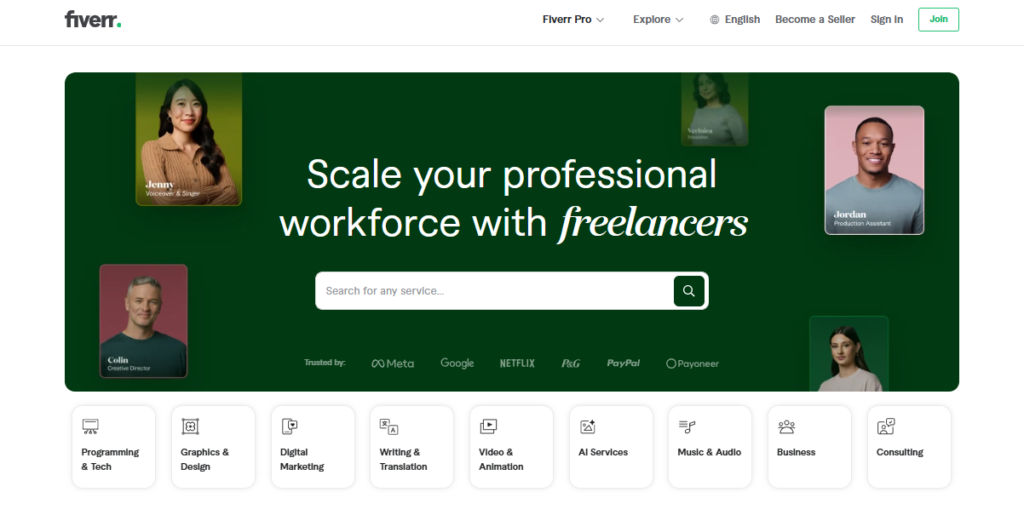
- Fiverr: Hire a professional designer for as little as $20.
Tips for an Attention-Grabbing Cover
- Use bold, clear fonts that are easy to read at a glance.
- Choose colors that align with your book’s theme and genre.
- Add a subtitle or tagline to intrigue readers and clarify your book’s focus.
Step 7: Publish on Amazon KDP
Now comes the exciting part: publishing your book! Amazon KDP (Kindle Direct Publishing) makes it easy for anyone to publish and distribute their book to a global audience.
Steps to Publish:
- Create an Amazon KDP Account
Sign up for free at Amazon KDP.
- Upload Your Manuscript
Save your manuscript as a Word document and upload it directly to KDP.
- Upload Your Cover
Use the JPEG file from Canva or Fiverr.
- Set Your Price
For first-time authors, pricing your book at $0.99 can attract more readers and generate reviews.
- Choose Keywords and Categories
Select 5–7 keywords and 2–3 categories that best describe your book. This helps Amazon’s algorithm recommend your book to the right audience.
By following these steps, you’ll have a beautifully crafted, professional book ready to share with the world—all in just a few hours!
Actionable Steps on How to Write a Book in 2.5 Hours Using AI
Writing a book in 2.5 hours is achievable when you use AI tools and a focused approach. Here’s how to adapt the process to different groups, ensuring it fits your unique needs and goals.
Beginners: First-Time Writers
Goal: Create a simple, engaging book without prior experience.
- Start With What You Know: Pick a topic you’re familiar with—something you enjoy or know well (e.g., “How to Stay Organized” or “Quick Meal Ideas for Busy People”).
- Brainstorm Ideas: Spend 15 minutes jotting down bullet points or a rough outline. No need for structure yet.
- Use AI for Expansion: Paste your bullet points into ChatGPT and prompt:
“Turn these into a chapter written in a conversational and easy-to-read tone.”
- Keep It Short: Aim for 5–7 chapters, each 1,000–1,500 words. A short, focused book is easier to complete and appeals to readers.
- Design Made Simple: Use Canva’s free templates to create a clean, professional cover.
Pro Tip: Don’t aim for perfection—focus on finishing your first book to build confidence.
Entrepreneurs: Build Authority and Generate Leads
Goal: Use your book as a tool to showcase your expertise and attract clients.
- Repurpose Existing Content:
-
-
- Use transcripts from webinars, blog posts, podcasts, or presentations.
- Example: If you’ve hosted a webinar on “Marketing Essentials for Startups,” use the transcript as your foundation.
- Solve Problems: Write about a topic that addresses your audience’s pain points and offers actionable solutions. For example, “10 Social Media Strategies for Small Business Growth.”
-
- Add CTAs:
End each chapter with a call-to-action, such as: “Visit [your website] for exclusive resources” or “Book a free consultation.”
-
- Polish With AI: Use ChatGPT to refine your content and make it more engaging. Prompt: “Rewrite this section to be concise and persuasive for business owners.”
- Market Your Book: Publish on Amazon KDP or offer it as a free download to generate leads. Promote it via your email list, LinkedIn, or social media.
Pro Tip: A book can double as a lead magnet or a credibility booster for speaking engagements.
Subject-Matter Experts: Showcase Authority and Share Knowledge
Goal: Publish a professional, research-backed book to establish yourself as a thought leader.
-
- Pick a Specific Niche: Focus on a high-value topic in your field (e.g., “The Future of AI in Healthcare” or “Advanced Leadership Tactics for HR Professionals”).
- Incorporate Research: Ask AI to find relevant data or studies to support your points. For example: “Add a statistic about the growth of AI in healthcare in 2023.”
- Add Case Studies or Personal Experiences: Use real-world examples to illustrate your points. Example: “How [Company X] Increased Productivity by 50% Using These Strategies.”
- Use a Professional Tone:
-
- Prompt ChatGPT: “Rewrite this section in a formal, expert tone appropriate for professionals.”
- Hire Help for Design: Work with a designer on Fiverr or Upwork to create a polished cover that reflects your expertise.
Pro Tip: Include a resource section or references to add credibility and depth to your book.
Students: Build a Portfolio or Generate Passive Income
Goal: Use your book to showcase knowledge, build your resume, or earn extra income.
- Repurpose Classwork: Use essays, research papers, or projects as the foundation for your book.
Example: Turn a research paper on climate change into “A Beginner’s Guide to Sustainability.”
- Keep It Relatable: Write for your peers or others in your stage of life. For example: “How to Ace College Applications” or “Budgeting 101 for Students.”
- Add Visuals: Use Canva or Google Slides to create simple graphs, charts, or illustrations to enhance your book.
- Publish and Promote: Publish on Amazon KDP.
Share your book on social media, student forums, or with friends and professors.
Pro Tip: A book can set you apart when applying for internships or scholarships.
Hobbyists: Share Your Passion With a Niche Audience
Goal: Write a fun, relatable book to connect with like-minded readers.
- Pick a Specific Passion: Focus on a hobby you love, such as cooking, crafting, or gardening. Example: “10 Easy DIY Projects for Beginners.”
- Turn Tutorials Into Chapters: Use step-by-step guides or tutorials you’ve created as the basis for your book.
Example: A baking enthusiast could write “Mastering Sourdough Bread in 7 Days.”
- Add Photos or Diagrams: Use Canva to create visuals that make your book more engaging.
- Engage Your Community: Share your book with niche Facebook groups, Reddit communities, or forums related to your hobby.
Pro Tip: A hobby book doesn’t need to be long—focus on quality and actionable advice.
Retirees: Share Life Lessons or Preserve Memories
Goal: Write a legacy book to share wisdom and stories with others.
- Dictate Your Stories: Use voice-to-text tools like Otter.ai to capture your memories without typing.
- Organize Themes: Ask ChatGPT to group your stories into categories like “Work,” “Family,” and “Adventure.” Example prompt: “Organize these life lessons into themes and suggest chapter titles.”
- Add Reflections and Lessons: Share insights or advice from your experiences to inspire readers.
- Create a Keepsake: Publish your book for family and friends or share it with a wider audience on Amazon.
Pro Tip: A memoir doesn’t have to be formal—write in your voice for authenticity.
Common Mistakes to Avoid When Writing a Book in 2.5 Hours
Even with a fast and efficient process, certain mistakes can derail your progress or hurt your book’s quality. Here’s how to avoid the most common pitfalls:
Over-Editing: Trust the Process
It’s tempting to keep rewriting to make everything perfect, but this wastes time.
Solution: Let AI handle the heavy lifting. Limit yourself to quick edits for typos and flow—aim for progress, not perfection.
Neglecting Formatting: Looks Matter
A poorly formatted book can confuse or frustrate readers.
Solution: Use tools like Kindle Create or Canva for a clean, professional layout. Preview your book before publishing to ensure consistency.
Skipping Cover Design: First Impressions Count
Your book’s cover is the first thing readers see and can make or break their decision to buy.
Solution: Create an eye-catching, professional design using Canva or hire a designer. Keep the title clear and readable.
Ignoring Your Audience: Write for Them
Writing without considering your readers’ needs can make your book irrelevant.
Solution: Focus on solving their problems or answering their questions. Tailor your tone and content to their expectations.
Publishing Without Proofreading: Errors Hurt Credibility
Even AI can miss mistakes, and typos can turn off readers.
Solution: Spend 15 minutes reviewing your manuscript aloud or use tools like Grammarly to catch errors.
Avoid these mistakes, and you’ll produce a polished, professional book that connects with your audience—without wasting time!
Frequently Asked Questions
How long does it really take to write a book with AI?
With this method, you can have a finished manuscript in as little as 2.5 hours, depending on the length of your source material.
Do I need to be tech-savvy to use ChatGPT?
Not at all! ChatGPT is user-friendly and designed for everyone, regardless of technical expertise.
Can I use this method for fiction books?
Yes, but fiction may require more creative input than nonfiction.
Is Canva free to use?
Yes, Canva offers free templates, but premium features are available for a small fee.
How much does it cost to publish on Amazon KDP?
Publishing on KDP is free, but Amazon takes a percentage of your sales.
Do I need an editor?
While AI does a great job, having a human editor review your manuscript is always a good idea.
Can I publish it in paperback?
Yes, Amazon KDP allows you to publish both Kindle and paperback versions.
What’s the best way to market my book?
Leverage Amazon’s built-in audience and consider running ads to boost visibility.
Can I use this method for multiple books?
Absolutely! Once you master the process, you can create books on a variety of topics.
Do I need a professional ISBN?
Amazon provides a free ISBN for Kindle books, so you don’t need to purchase one.
Turn Your Dream of Being an Author Into Reality
Writing a book has never been easier, faster, or more accessible. By leveraging AI tools like ChatGPT, starting with the content you already have, and following a proven step-by-step process, you can transform your ideas into a professional, publishable book in just a few hours.
John S. Rhodes reminds us that the key to success is working smarter, not harder: “You don’t need weeks or months to write your book—you just need the right tools and a clear plan.” With AI and platforms like Amazon KDP, the barriers to becoming a published author have been removed.
Now it’s your turn. Imagine holding your finished book in your hands, sharing your knowledge and creativity with the world, and even earning passive income from your work. It all starts with one simple step: take action today.
Here’s your first step:
- Choose your starting content—whether it’s a YouTube video, a blog post, or even a collection of notes.
- Open ChatGPT and start transforming that content into a manuscript.
- Follow the steps outlined in this guide to design, format, and publish your book.
If you’re ready to learn more and want ongoing tips and strategies, check out the Rhodes Brothers YouTube Channel for expert advice on writing, business, and productivity.
Resource List
To help you on your journey to becoming a published author, here are some additional resources:
Books
- “Show Your Work!” by Austin Kleon: A great guide to sharing your creativity with the world.
- “Atomic Habits” by James Clear: Learn how to develop habits that support your writing process.
Tools
- Otter.ai: Transcription tool for turning audio or video into text.
- Grammarly: For editing and refining your manuscript.
- Scrivener: Advanced software for writing and organizing long-form content.
Courses
- Self-Publishing Success by Mark Dawson: Learn how to market and profit from your books.
- Masterclass with Malcolm Gladwell: Gain insight into the creative writing process.
Podcasts
- The Creative Penn Podcast: Insights into writing, publishing, and marketing books.
- Writer’s Routine: Interviews with successful authors about their workflows.